
Account types
Distinguishing end-customer, company and sales accounts.
INFO
To use TradelinePro in B2B mode, the account type "Business accounts" must be configured for the sales channel.
In TradelinePro there are two kinds of "account types":
- Personal accounts
- Business accounts / companies
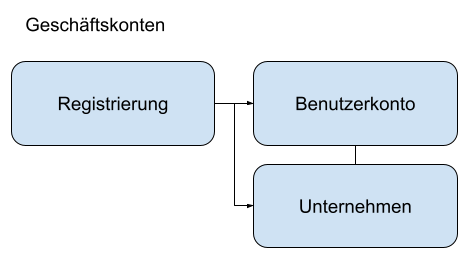
The key difference between these two account types is that for business accounts, an organisation is created in TradelinePro in addition to the person.
Technically speaking, a business account therefore consists of both an organisation and the personal user accounts assigned to it.
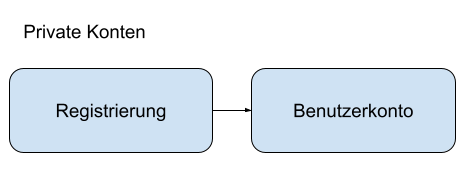
Personal accounts
Personal user accounts are always equivalent to a real person. Organisations, by contrast, represent an overarching layer for user accounts and are linked to one or more personal user accounts.
Business accounts / companies
In a B2B scenario, every personal user account is associated with an organisation.
The entity that becomes the contractual partner is always the organisation – the user with their user account acts on behalf of the organisation.
In any interaction with the shop, all master data and settings (rights) are therefore taken from the organisation. The user steps into the background.
The following data is managed and used by the organisation:
- Customer number
- Access rights
- Master data, ship-to addresses and bill-to addresses
The user is informed at all times about the organisation context in which they are acting.
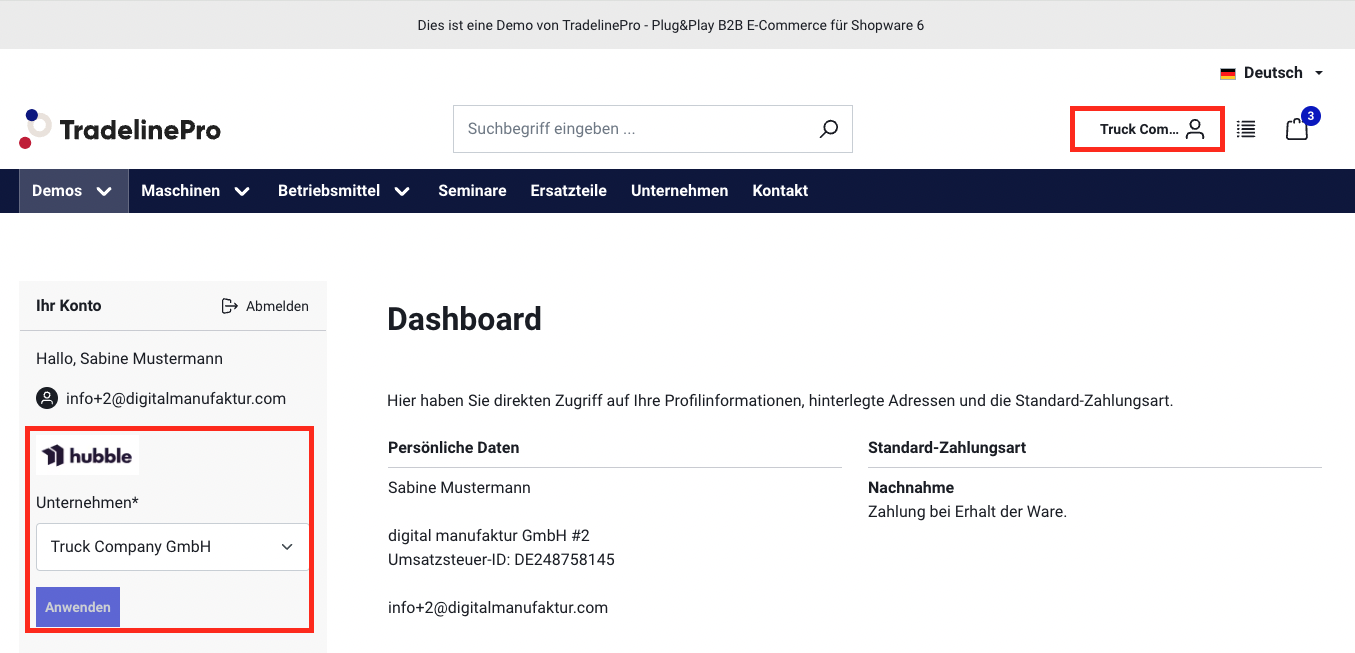
If a user is associated with more than one organisation at the same time, they can change the organisation via a selection box. All options and actions follow from that point onwards with the capabilities of the new organisation.
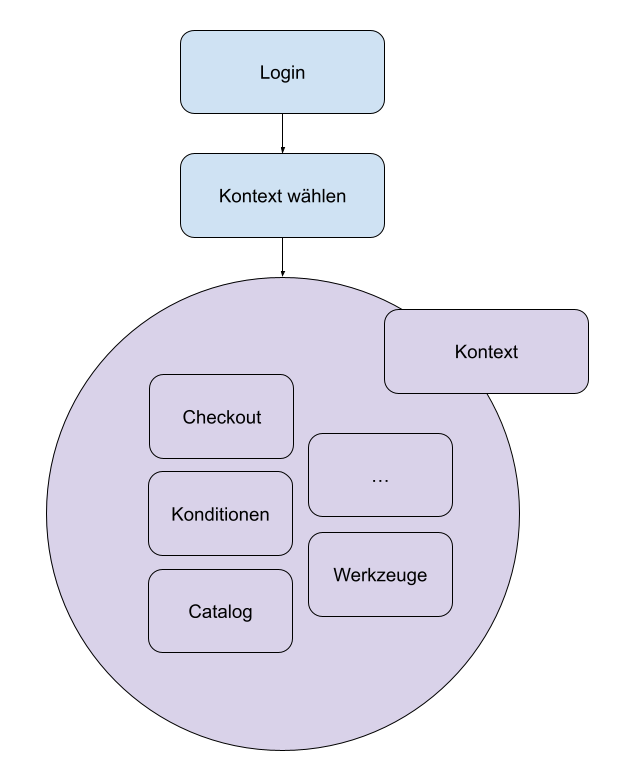
Relationship of master data in the context of personal account and company account
https://digitalmanufaktur.atlassian.net/browse/TRADELINE-379
Configuration
In the settings, the shop operator must define in advance how the registration process is to be handled. Differentiated settings can be made per sales channel, which makes parallel account types in parallel instances possible.
- B2C mode: new registrations are only created as personal user accounts
- B2B mode: a (self-service) registration or registration request directly creates both a user account and an organisation. The user is initially also assigned to this organisation in the role of company manager.