
Navigation
Structure main navigation, footer and service menus.
The right user guidance is a key factor for satisfied customers and successful online shops. A central role here is played by a main menu that matches the product range.

TradelinePro offers various options here. These can be provided by a software developer and can also be tailored to individual needs.
Maintaining the main menu
The main menu is the heart of your shop. You therefore have various options for creating a main menu tailored to your customers.
You create the menu structure in the admin area under Catalogues → Categories:
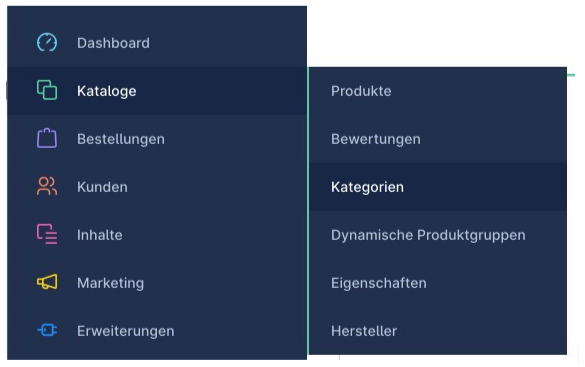
During setup, an example menu has already been created, which you now need to adapt to your needs.
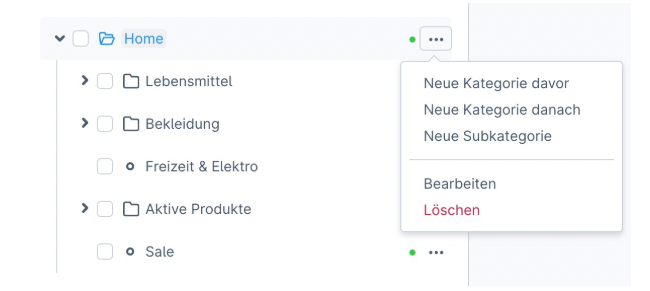
You can add new menu items at any level. To do so, click the three dots next to an existing menu item and select where another menu item should be created:
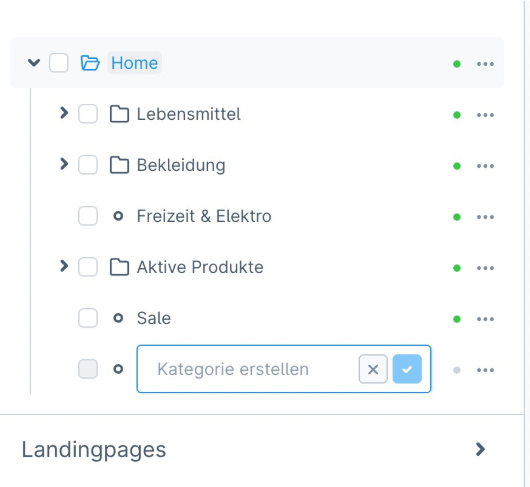
You can either set a name for the menu item or directly create further menu items:
You are also free to create a completely new menu and subsequently link it to the desired sales channel via the "Entry point of the main navigation" function.

In principle, you can create as many menu items as you need - there is no technical limit. To guide your users in a targeted way, we recommend using a maximum of 8 menu items on the first level with a maximum depth of 3 levels.
An ideal menu, and therefore navigation structure, requires some planning and should always put the needs of your customers in the foreground. Also note that the navigation structure (or information architecture) has a significant impact on your website's discoverability by search engines.
For each menu item, you can decide which target or record in the shop it is connected to.
You can choose between the following links:
- Catalogue (category)
- Free link / individual menu items outside the product catalogue
- Structural element / entry point
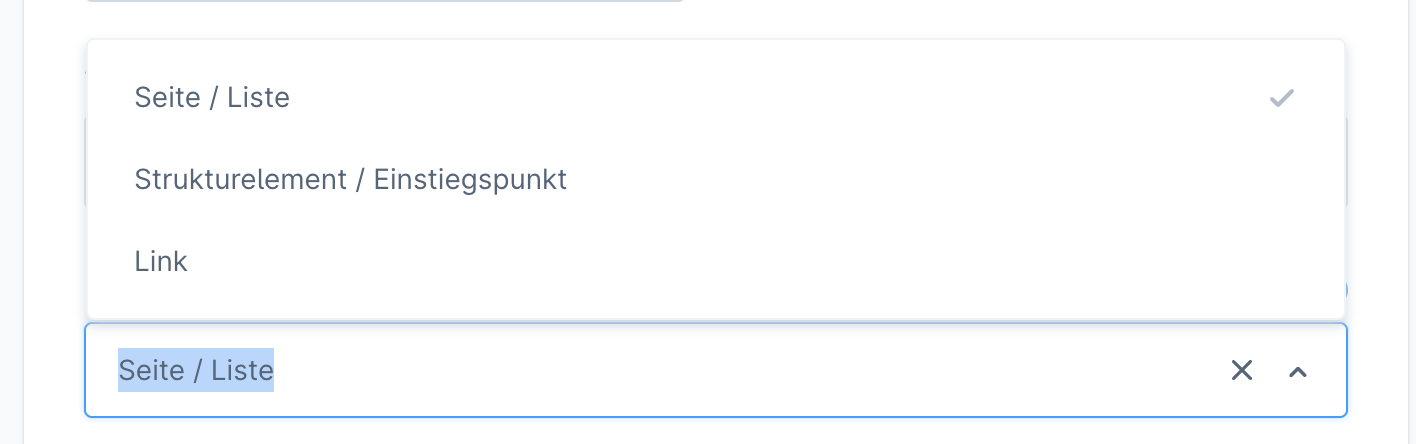
Please note that the system in the administration interface does not differentiate between these links - they are all combined in a single interface.
Page / list (category as well as landing page)
With this link you integrate a typical category page of the shop. You configure this category, i.e. product list, directly in this context.
A category does not necessarily have to contain products - it can equally be an emotional landing page.
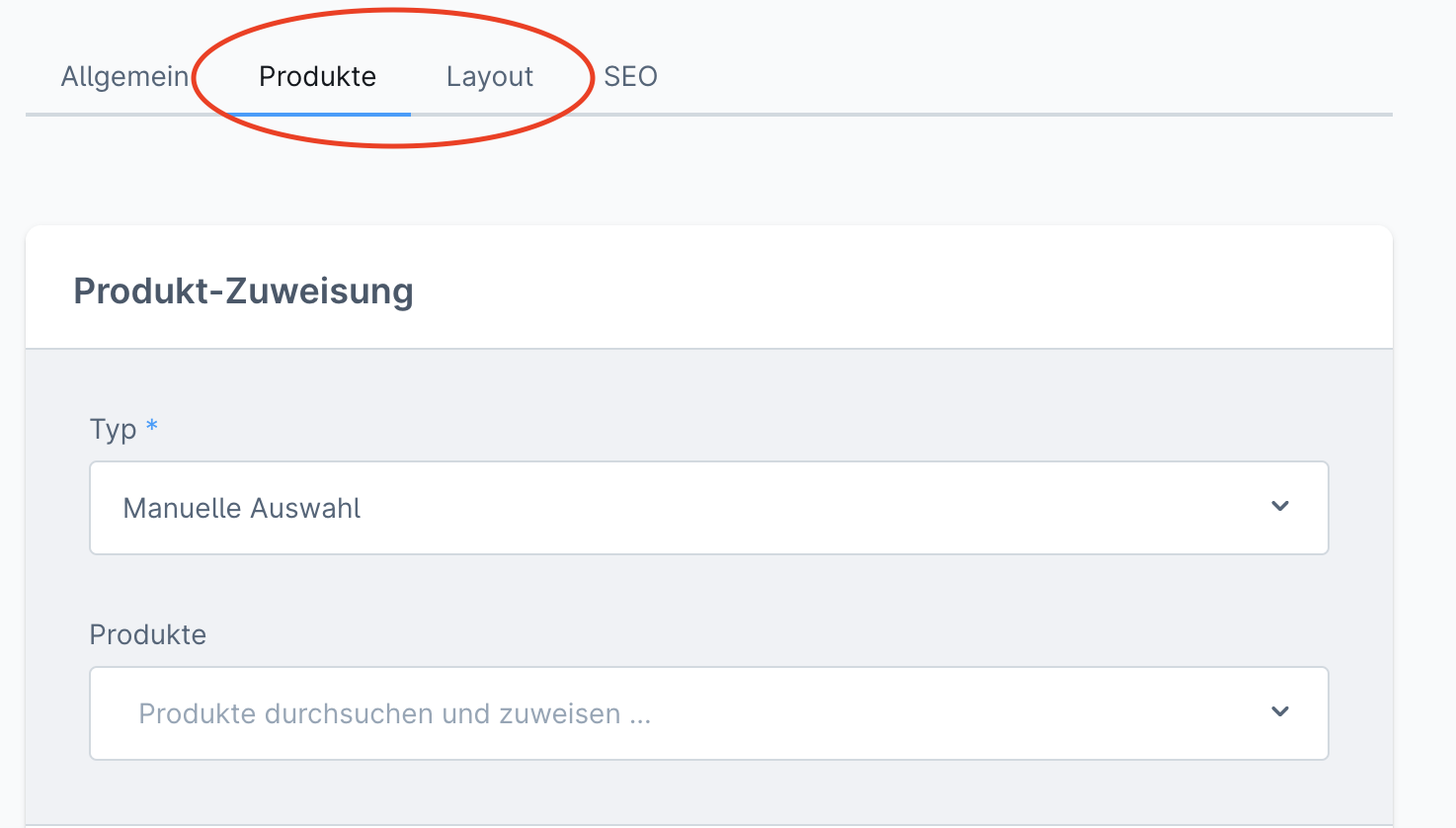
How such a page is structured is determined by the layout of the applied shopping experience.
Link (free link / individual menu items outside the product catalogue)
You can also link the menu item freely. This can be an external link (a third-party website or a specific landing page) or an internal link (a product, a specific category, etc.).
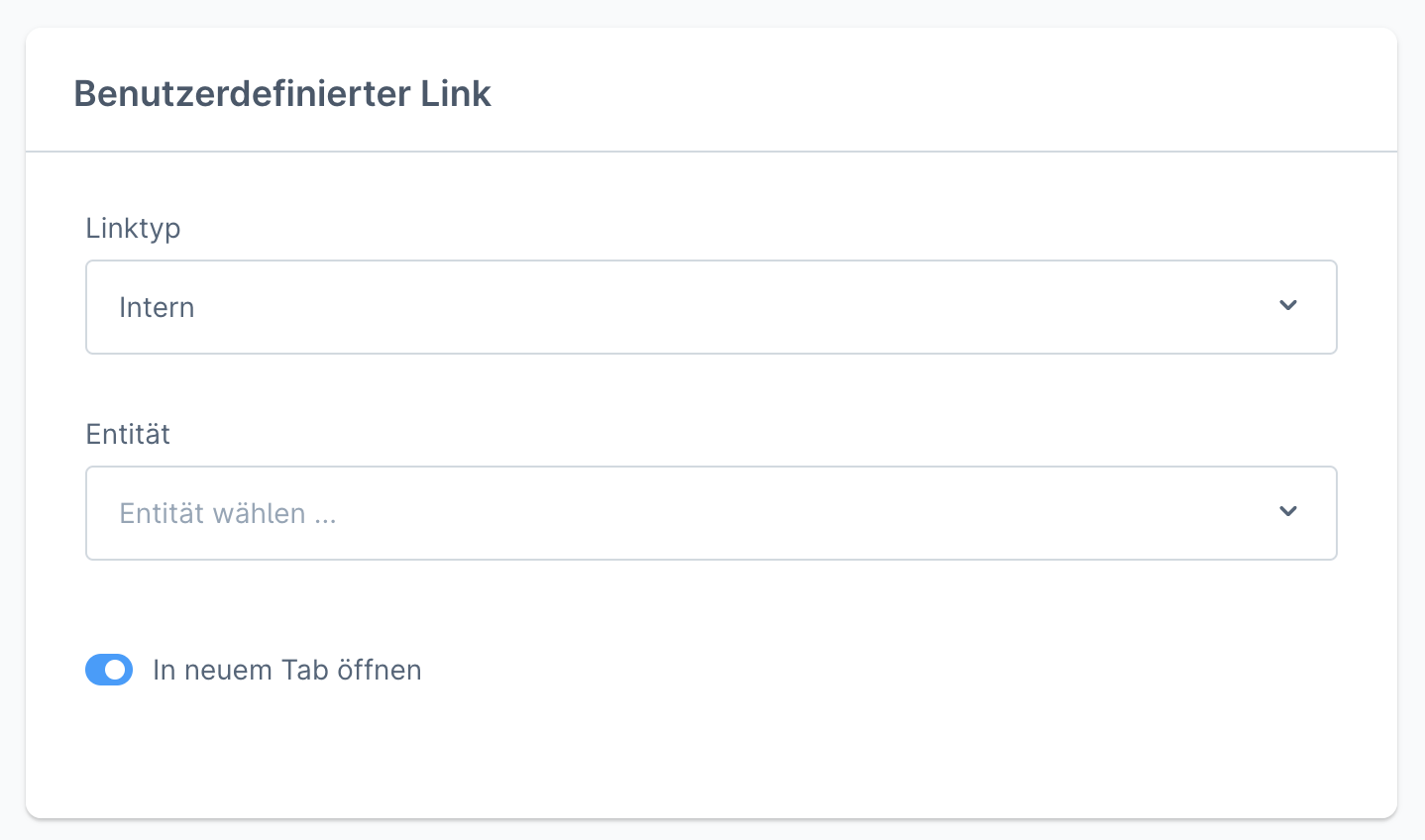
Structural element / entry point
This menu item is not clickable for the customer; it merely serves to structure further submenu items and therefore acts primarily as a heading.
Connecting the menu to the sales channel
For the menu to be used, it must be connected to the sales channel. This process is described here.
My account menu
In the customer account, a menu is also provided for quick access to the tools within the TradelinePro online shop.
The menu is automatically derived from the installed plugins and does not need to (and cannot) be modified by you.