
Storefront from the sales representative's perspective
Sales representatives with their customers and tools.
When you log in as a sales representative, you gain a new feature called "Sales mode".
In this mode, you can log in as one of the customers you support and place an order on their behalf. All master data of the company is automatically provided and can be used.
To start this mode, the user proceeds as follows:
- Open the list of customers (XXX)
- By clicking the "Start session" button, the session switches to the company and you act "on behalf of" and as the user

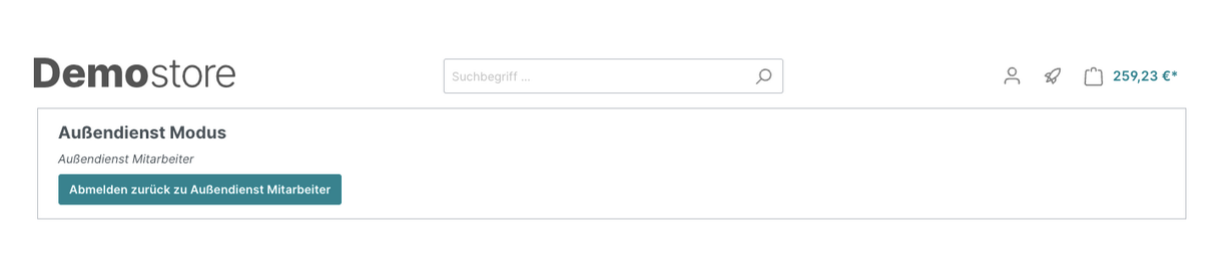
For the duration of a session on behalf of the customer, the user is reminded of this fact by a note in the header area.
XXX Add further process details XXX
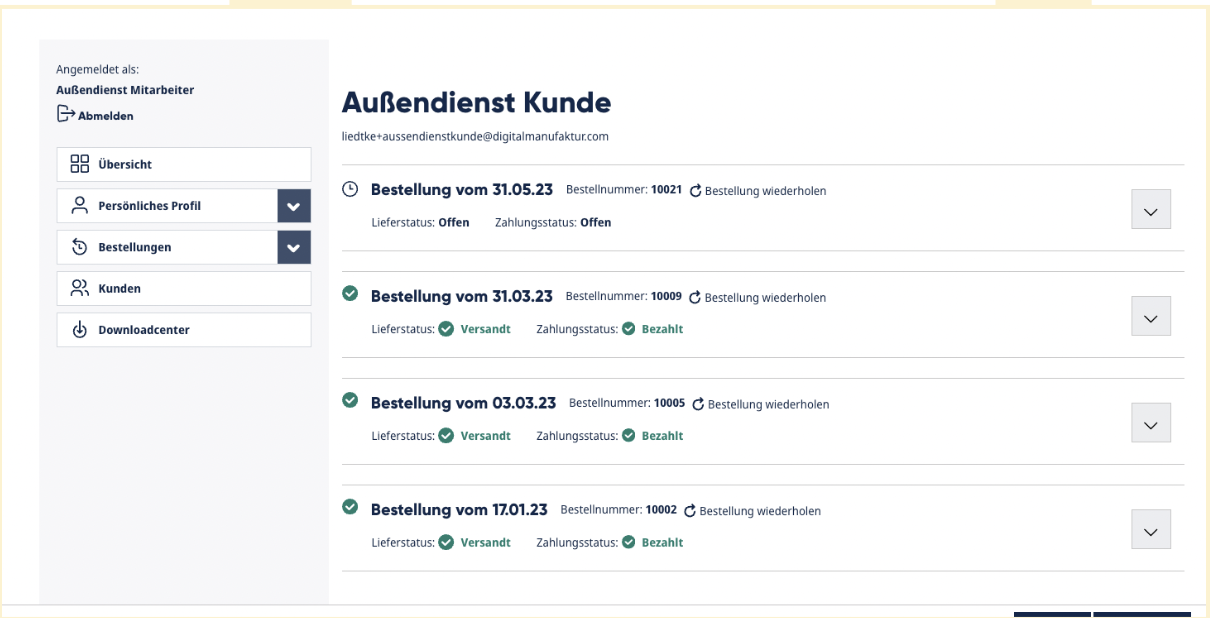
The "Show" button can be used to access further details about the customer.
Ordering an individual product
In some circumstances, a sales representative may need to order a product for a customer that is not currently available in the shop but should still be part of the order.
For this reason, it is possible to buy a so-called individual product via a quick order. This option is visible whenever the field sales representative is in a session of their customer:
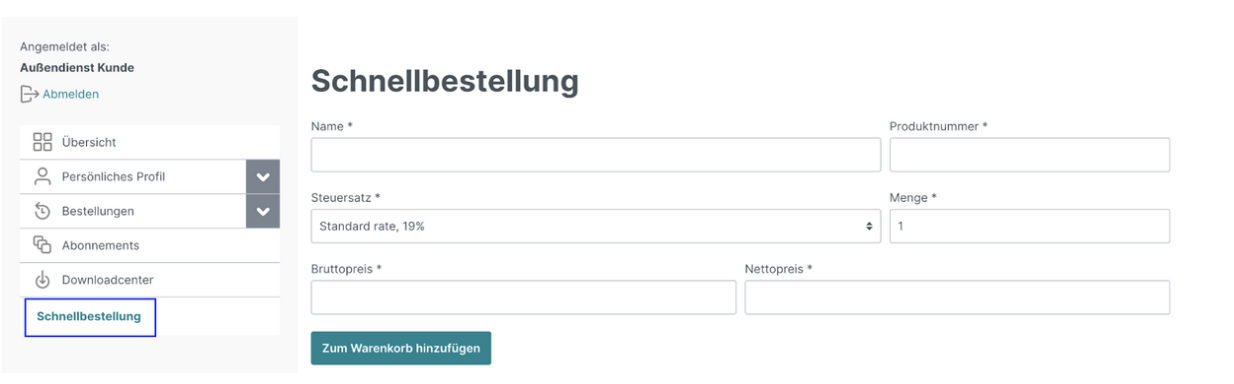
The product can be given a name and product number, as well as a desired quantity, tax rate and price. The price can be specified gross or net. The conversion takes place automatically according to the selected tax rate.
This product is then placed in the cart and becomes a regular part of the order. Once an order has been completed, the product cannot be purchased again in this form. This function can be activated in the configuration for the sales channel; by default it is disabled.