
Customer groups
Organise customers into groups – the basis for terms and visibilities.
Customer groups are used in TradelinePro to set terms or rights collectively for a subset of customers (in both account types, business and private).
The system distinguishes between guests and customer groups. Users who are not logged in also form a logical (and technical) customer group – called the guest group.
TradelinePro allows customer groups to be used as a differentiator in the following aspects:
- Prices
- Process flows
- Product visibilities
- Category visibility
- Content page visibility
The customer groups available for selection can be set up here: ⇒ Settings → Shop → Customer groups
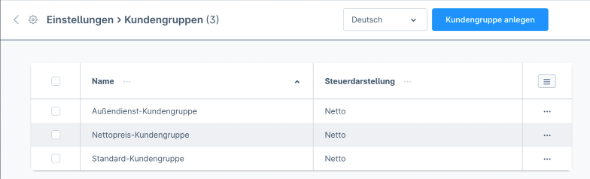
When a user registers a new organisation, an initial customer group (default customer group) is assigned to it.
When a user is acting in the context of an organisation, they inherit the organisation's customer group. This is then used for all process steps and at runtime overrides the customer group assigned to the user in their personal user account.
Access control
Access control is configured within the customer group settings. Please refer to the corresponding chapter for further information.
Managing and creating new customer groups
See the Shopware manual