
Ordering Devices
Connect external devices (barcode scanners, IoT).
This chapter is being prepared
With the ordering devices feature, TradelinePro gives you the option to process orders via alternative devices and methods alongside the traditional desktop computer or smartphone. This can include a range of technologies, including:
- Mobile apps: Dedicated apps for smartphones or tablets enable field staff, fitters or warehouse workers to capture orders directly on site.
- Scanners: Barcode or QR code scanners can be used to quickly identify products and add them to the cart. This is particularly useful in warehouse environments.
- Vending machines: These can be used to dispense consumables or tools and are often connected to an online ordering system.
- Voice commerce: Voice-controlled orders enable hands-free ordering, which can be advantageous in production environments, for example.
Via the ordering devices function, a user can therefore submit order items and order quantities to the shop via an external device in a highly simplified and functionally limited process.
The integration of a device into the online shop is fundamentally designed so that the user can exclusively use the device - interaction with the shop afterwards is therefore not strictly required.
The device function assumes that no selection options for the desired action are offered to the user on the device itself. The device only captures order items.
Activating the function in the online shop
TIP
The ordering devices function is technically prepared in TradelinePro. For specific ordering devices that you want to allow in the shop, it may be necessary to create additional technical prerequisites. Talk to your implementation partner for further details.
User access
Your users can activate and set up external ordering devices via their account. This is done in the Quick Order area via the Devices menu item.
The management of the devices takes place at the company level.
For each physical device, a corresponding virtual device must be configured in TradelinePro.
An overview lists these devices.
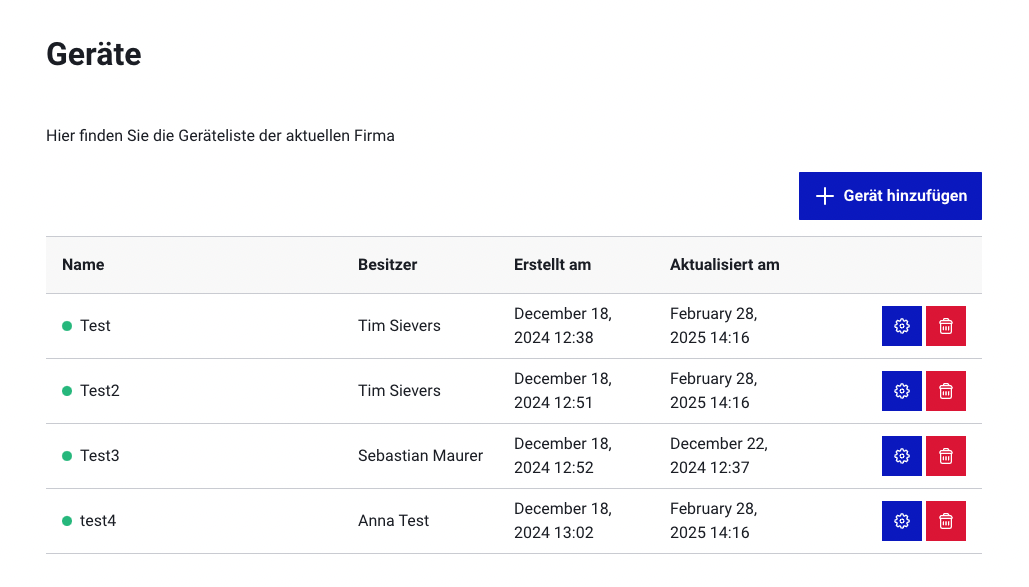
A click on the device opens the settings:
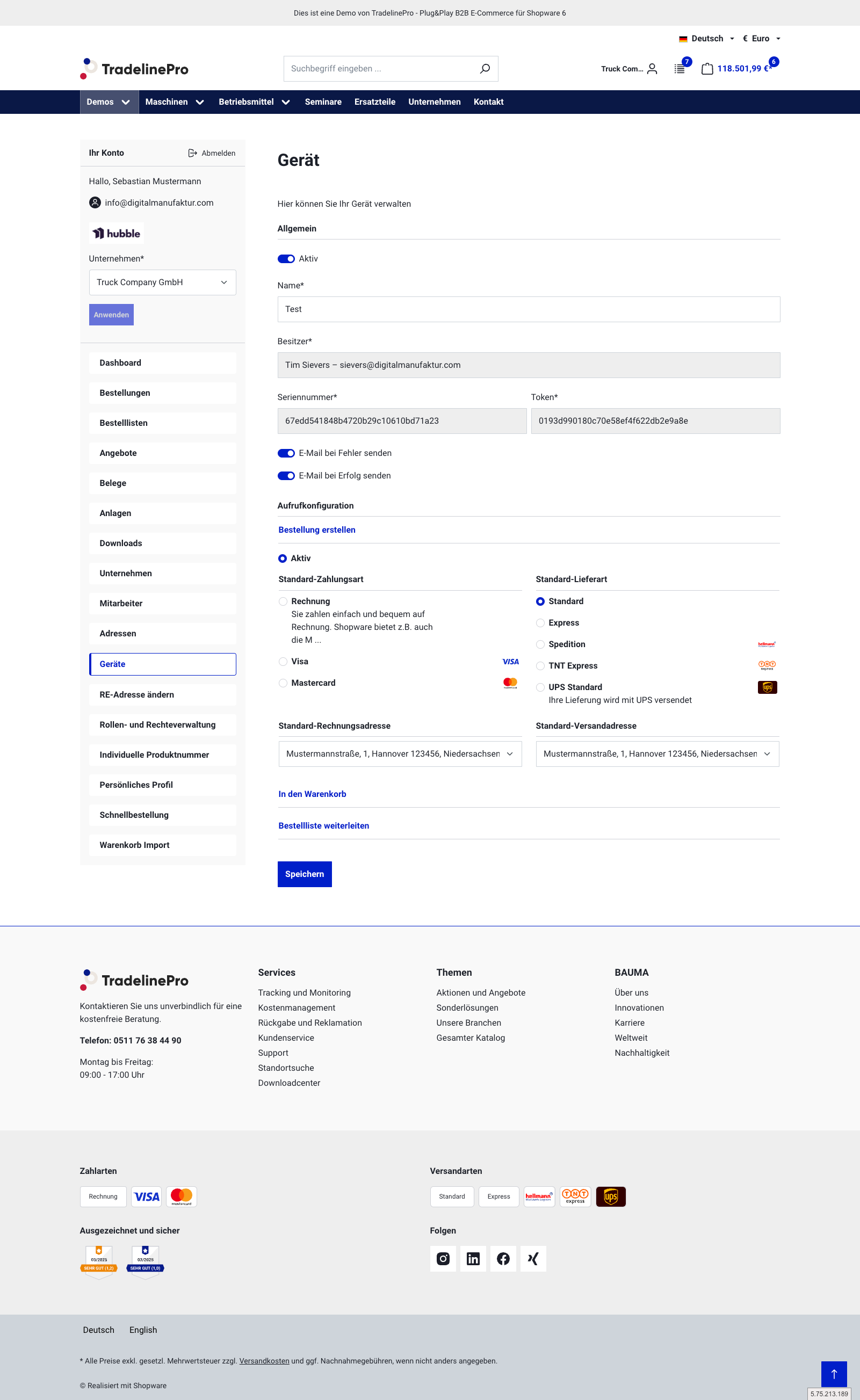
A device can be configured for one of three actions in the shop:
- Directly executing an order
- Placing products in a cart
- Placing products on the order list
Specific configuration options are available for each action.
MDE interface
If you want to use an MDE device, you can read in the items very easily.
To do this, you only need to send the file from the MDE device to the TradelinePro interface.
Manual list entry via a file upload is also possible.
All MDE devices that output the data in a CSV-like format, UGL format (Cordes & Graefe) or DIGIS format are supported.
Example request
curl --location 'https://TRADELINE_PRO_URL/enterprise-account/device' \
--header 'Unique-Id: y7edd541848b4720b29c10610bd71a23' \
--header 'Token: y193d990180c70e58ef4f622db2e9a8e' \
--header 'Content-Type: text/plain' \
--header 'Cookie: session-=oco9a4qle96jrhauthohppaath' \
--data 'SW10028.4,1
SW10028.2,2'