
Access control (web shop types)
Access control: public shop, closed area, hybrid.
In principle, TradelinePro can be used for any type of B2B web shop and across various industries - including B2C and B2X scenarios.
TradelinePro supports three web shop types:
- public
- restricted
- closed

You can choose the web shop type that best fits your business strategy. The configuration is based on the sales channel.
Public shop (B2X)
A public shop shows all information to all users - even without a prior login - and allows (technically speaking) all users to make purchases.
This means that anonymous web shop visitors can see the web shop catalogue and all other content. In the public shop, any web shop visitor can independently create a user account online or place an order as a guest without registering, provided this is enabled in TradelinePro.
Content-wise, there is usually no differentiation either - all users see the same products. A typical exception to this rule are, for example, price groups differentiated via customer groups.
Broadly speaking, a public B2X shop differs only very marginally from a classic B2C shop. A fully public shop is rare in the B2B context. The requirements can nevertheless be mapped with TradelinePro.
As a shop operator, you either sell to both private and commercial customers, or you exclude private customers from concluding contracts through your terms and conditions and your processing workflows. Technically, however, anyone can place an order.
To start a public shop, set the B2B mode switch in the B2B configuration to the value no.
The public shop corresponds to the standard installation of Shopware 6.
Restricted, private shop (B2B)
The restricted, partially private shop typically displays a (largely) complete product catalogue. This means the presentation can be found in search engines and used as a marketing tool.
However, users can only see the complete web shop catalogue (e.g. prices) after a successful registration or login. The purchasing process is only available to logged-in customers and not to guests.
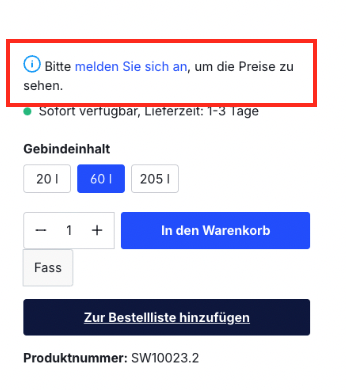
As a shop operator, you have the option of actively deciding which customers can purchase in your shop.
This approach is characteristic of typical B2B shops.
The registration process for new customers corresponds to an enquiry - it therefore has to be confirmed by you as the shop operator.
To give prospects an easy way to get in touch, e.g. in the form of a price enquiry, the quote function is a useful tool.
The following information can be restricted:
- Access to products
- Visibility of prices
- Ability to create an order
- Ability to create a quote request
In addition, individual terms can be defined for different customer groups.
The configuration of the restricted mode is carried out at the level of the customer groups.
Closed shop (B2B, key account)
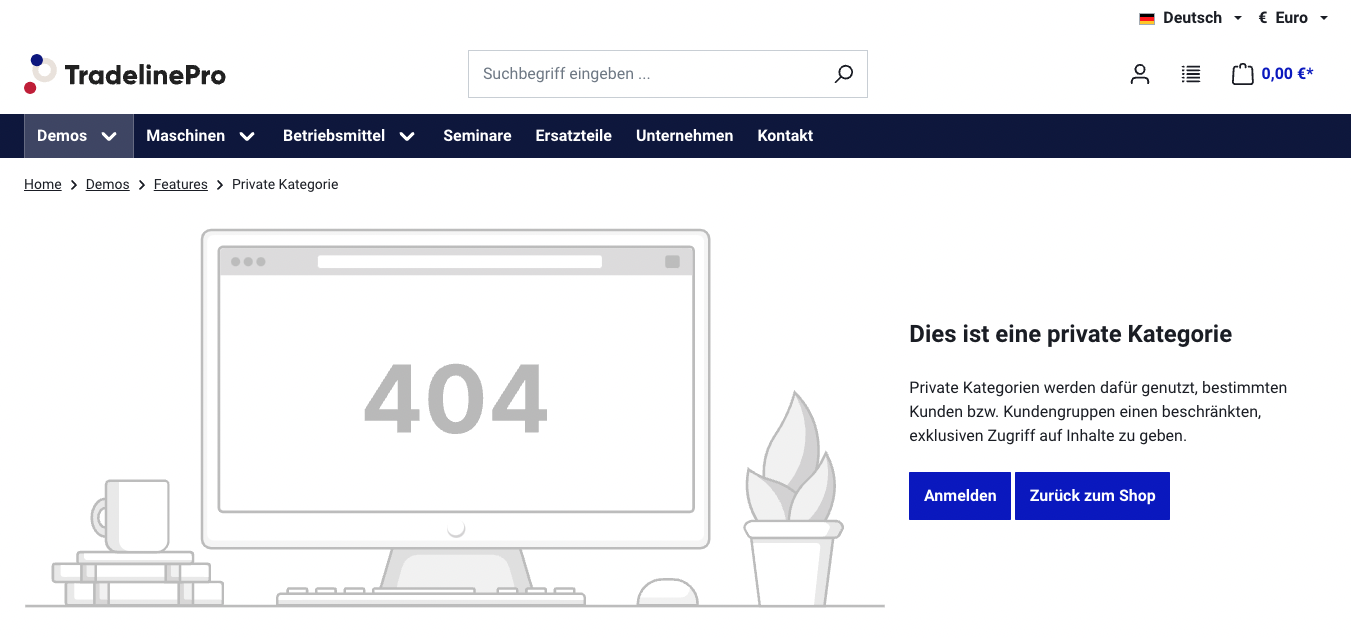
In fully closed mode, users can only see the web shop catalogue and make purchases after logging in. The content of the website is not available to the public and therefore not available to search engines either.
This approach is suitable in situations where a business relationship with the user already exists, or where the shop is not used for customer acquisition. The provision of a 24/7 customer portal and the simple purchasing process are at the forefront.
A typical scenario is providing merchandise materials or core products from franchisors.
When a user visits the web shop, only the pages Login, Register (enquiry) and Forgot password are available.
Configuration
The configuration of the restricted mode is carried out at the global level of the sales channel and is described in the following section.
The configuration of the differentiated, partially private shop is carried out in the customer groups and is described here.
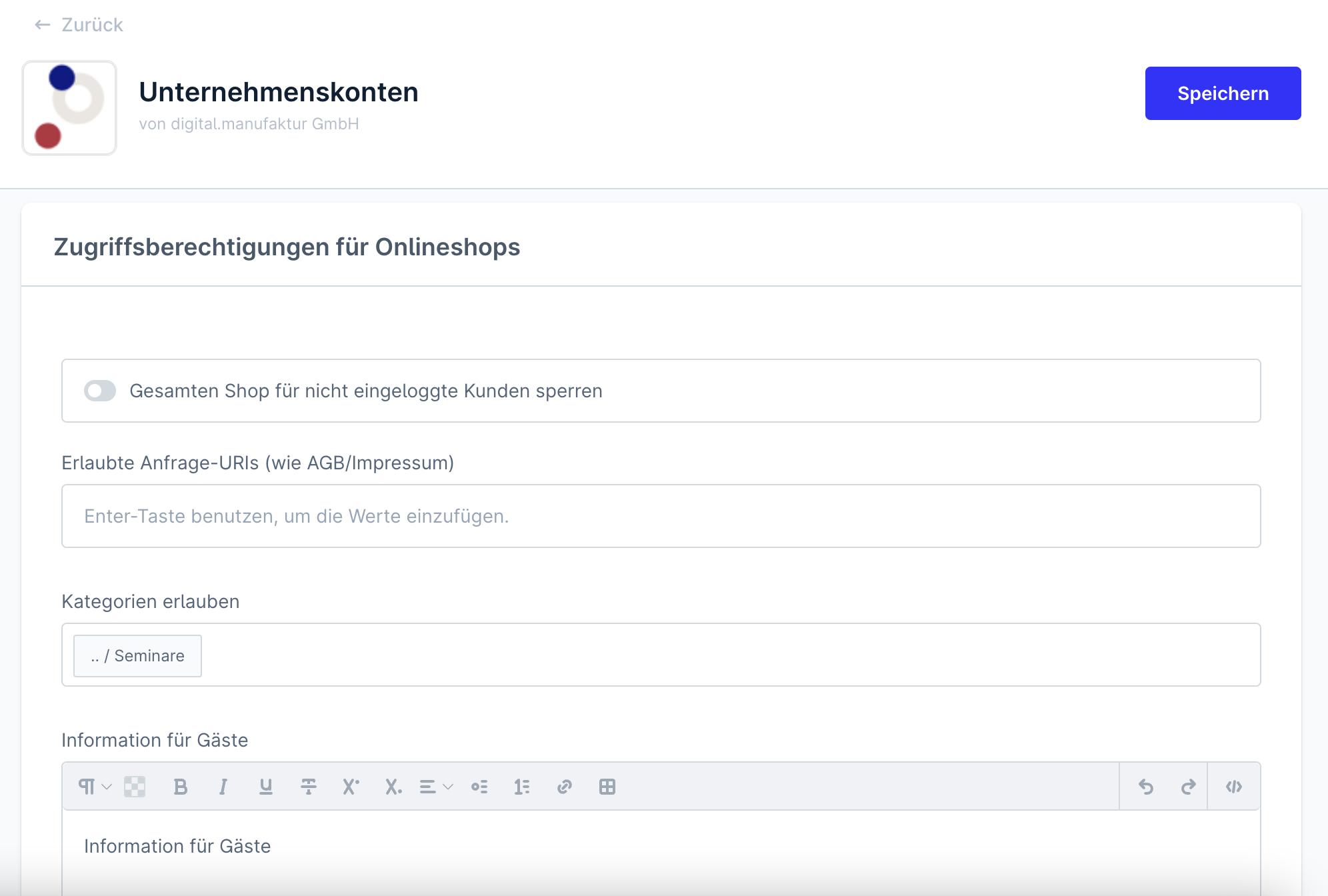
| Lock the entire shop for users who are not logged in | The setting "Lock the entire shop for users who are not logged in." causes users who are not logged in to always be redirected to the login page when accessing the shop. With this setting, any content of the shop is not visible to users who are not logged in. |
| Information for guests (customer) | In this text field you can maintain a text that is displayed as an introduction in the login mask for already registered customers. The text is only displayed if the setting set in 1 is activated. It is visible in the frontend on the /account/login page. |
| Information for guests (new customer) | In this text field you can maintain a text that is displayed as an introduction in the login mask for customers who are not yet registered. The text is only displayed if the setting set in 1 is activated. |